New in 1.1.9Updates now come straight from GitHub

Quit everything. Keep what matters.

QuitX lives in your menu bar and lists every running app, grouped with its windows and helpers. Quit one, some, or all of them in a click. Apps still get to ask about unsaved work.

macOS 14 or later Free and open source (MIT) No account, no tracking
Features

Everything a quit button should have been.

Built on public macOS APIs. It never reads other apps' files, and the only thing it asks the internet is whether a new QuitX release is out.

01

Quit one, some, or all

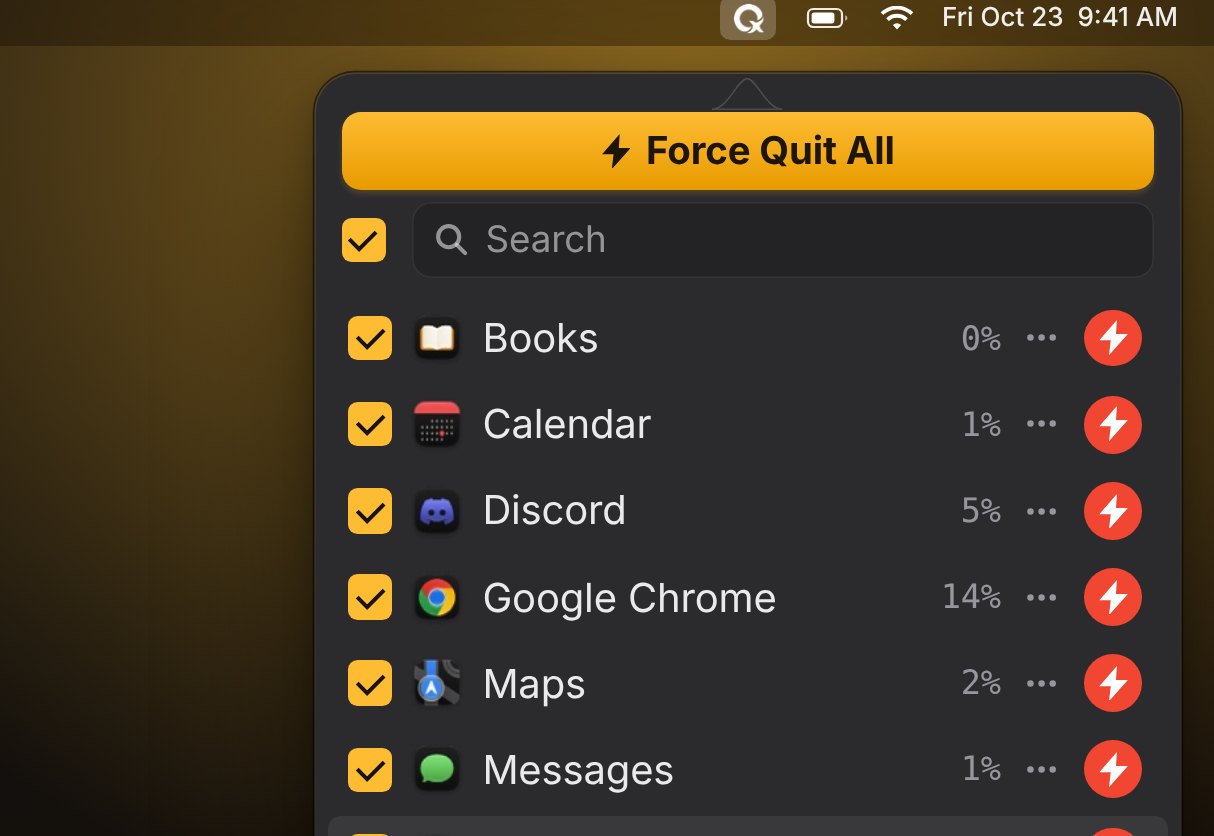
Every running app gets one row with all of its windows and helpers. Check what should go, press Quit, done. Apps still get to ask about unsaved work.

  • Search, and sort by name, CPU or memory
  • Quit, restart, or quit every other app from a row's ••• menu
  • Apps that linger in the background are asked again, so one click is enough
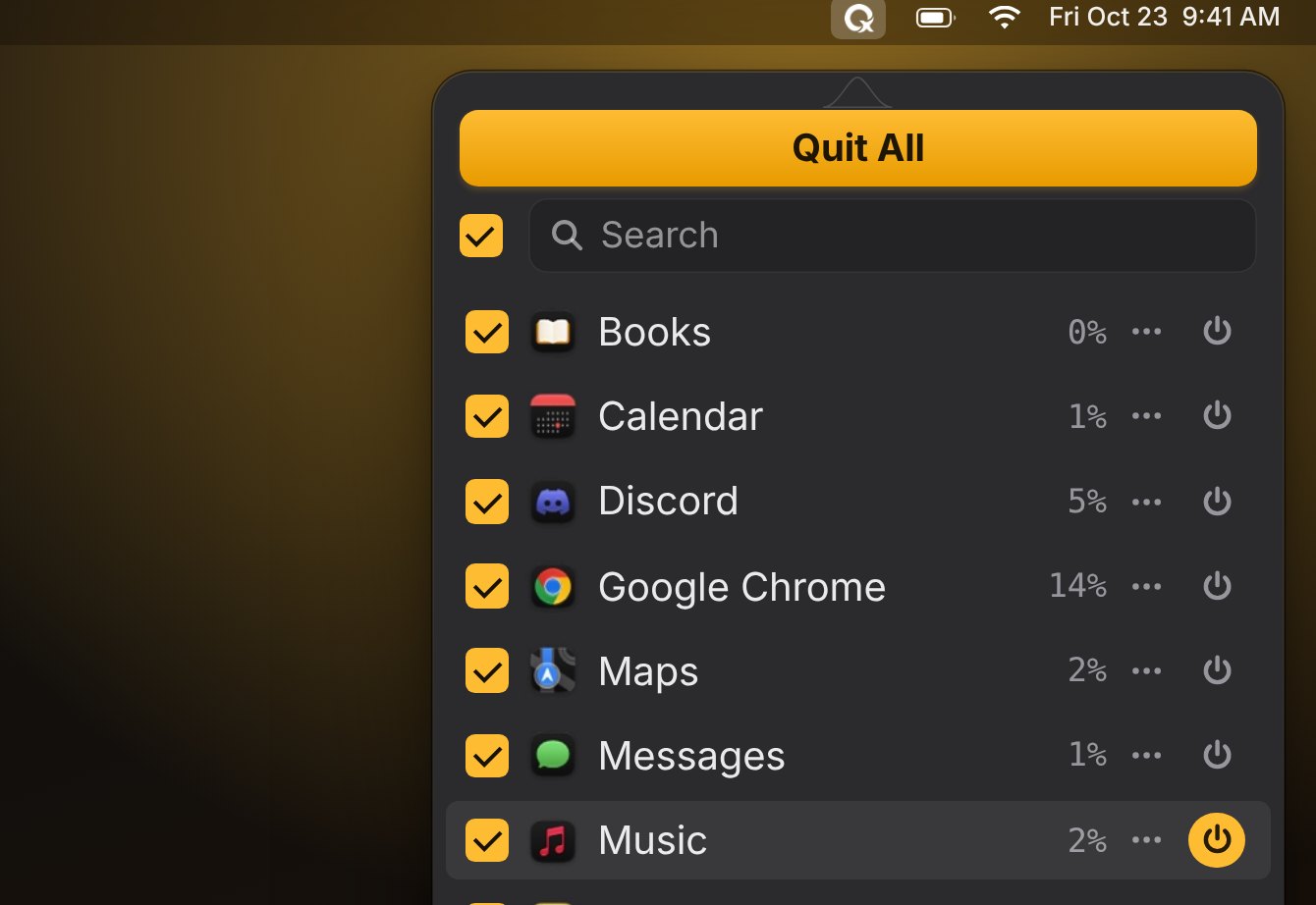
The QuitX menu listing running apps with a Quit All button
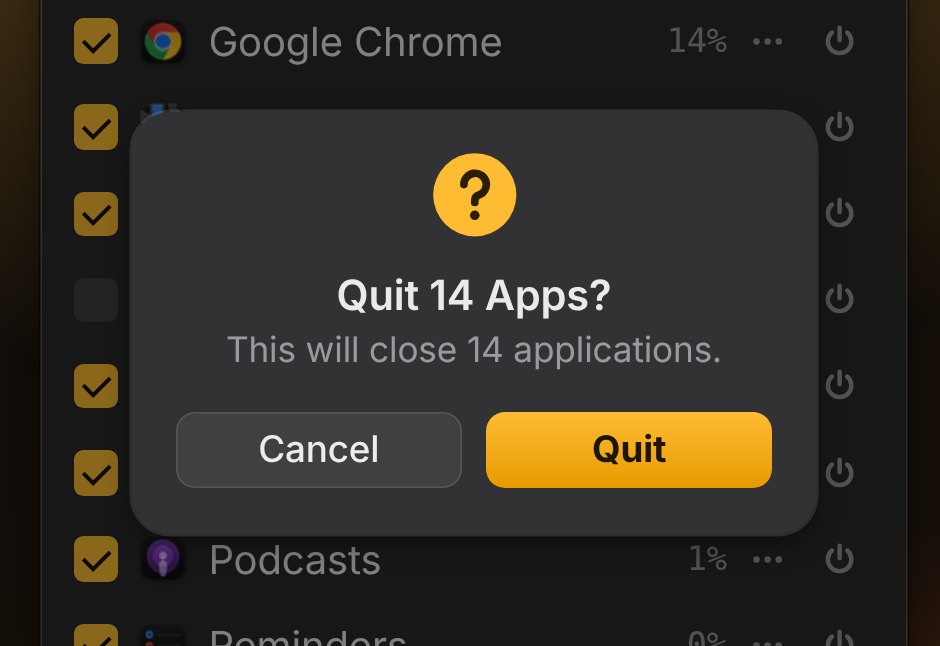
QuitX asking Quit 14 Apps? with Cancel and Quit buttons
02

Confirm before quit

A quick “Quit 14 Apps?” before Quit All, and optionally before single quits and restarts. Return confirms, Escape cancels.

The QuitX menu in force quit mode with Force Quit All
03

Normal quit or force quit

Normal quit lets apps save first. Hold ⌥ to force quit a frozen app, or make Force quit the default in Settings.

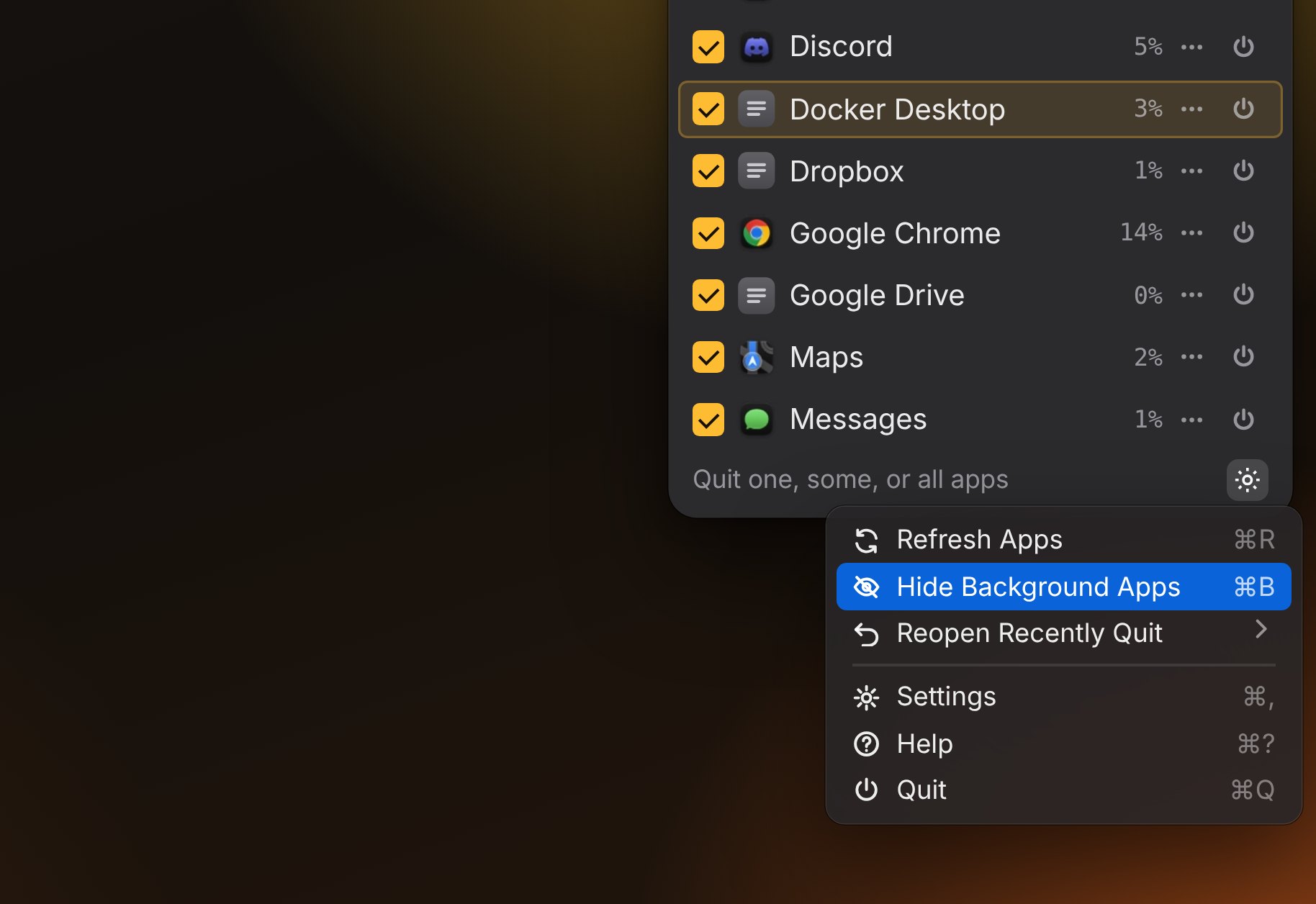
The QuitX menu showing background apps and the View Background Apps option
04

View background apps

Show helpers and agents that never appear in the Dock, with identical instances grouped into one row. Toggle with ⌘B.

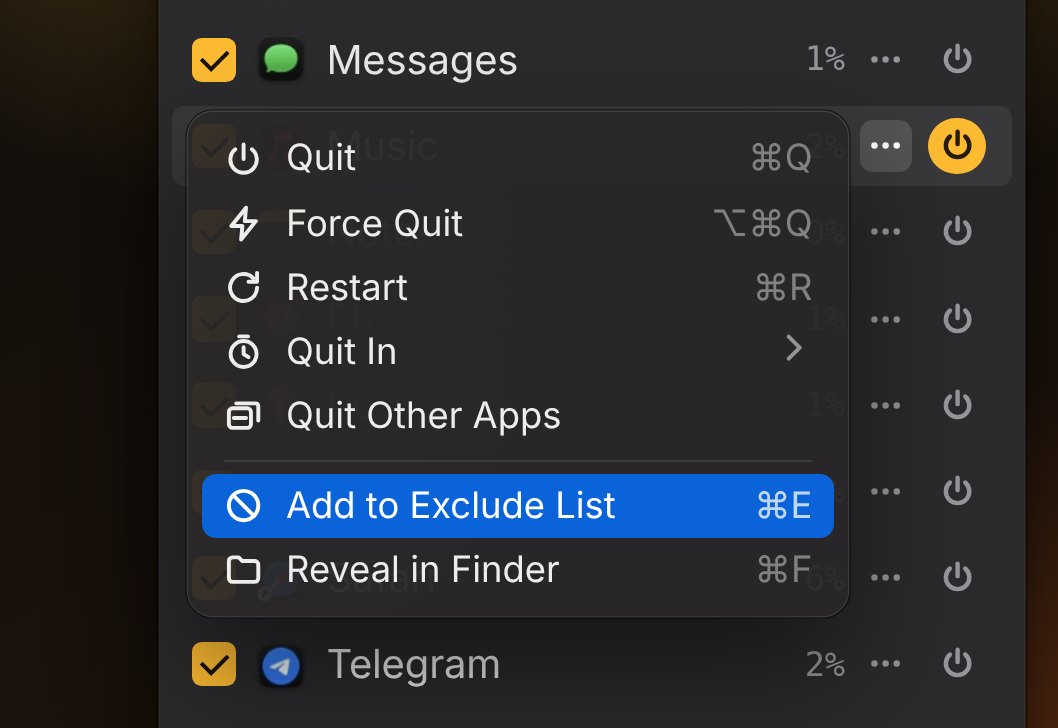
A row menu in QuitX with Add to Exclude List selected
05

Exclude apps

Add an app from its ••• menu and it disappears from the list, safe from every manual and automatic quit. Music apps can be protected with one switch.

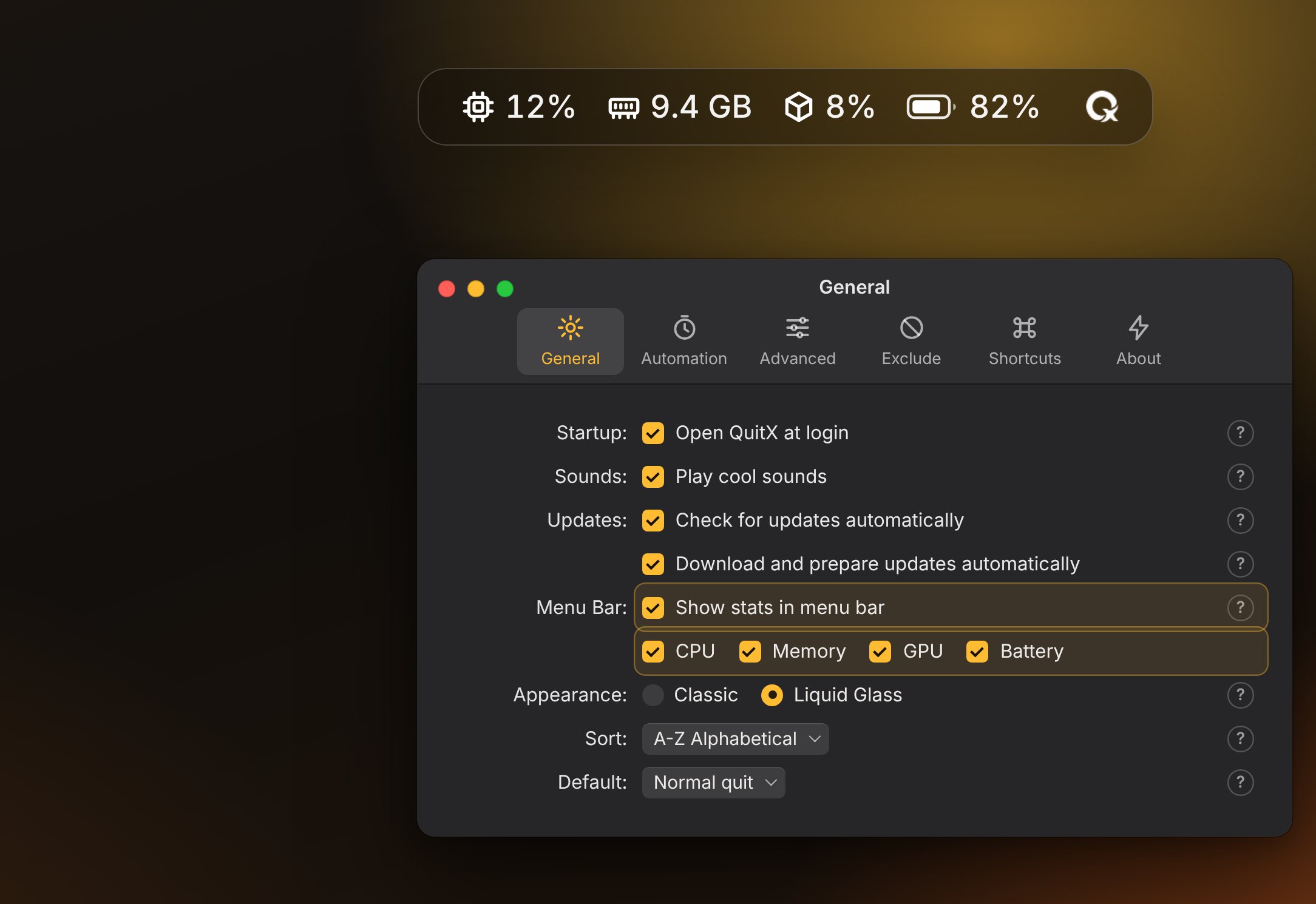
CPU, memory, GPU and battery stats in the menu bar with QuitX settings
06

Menu bar stats

Live CPU, memory, GPU and battery in the menu bar. Show any mix, as icons or text, and click a stat for a detailed view.

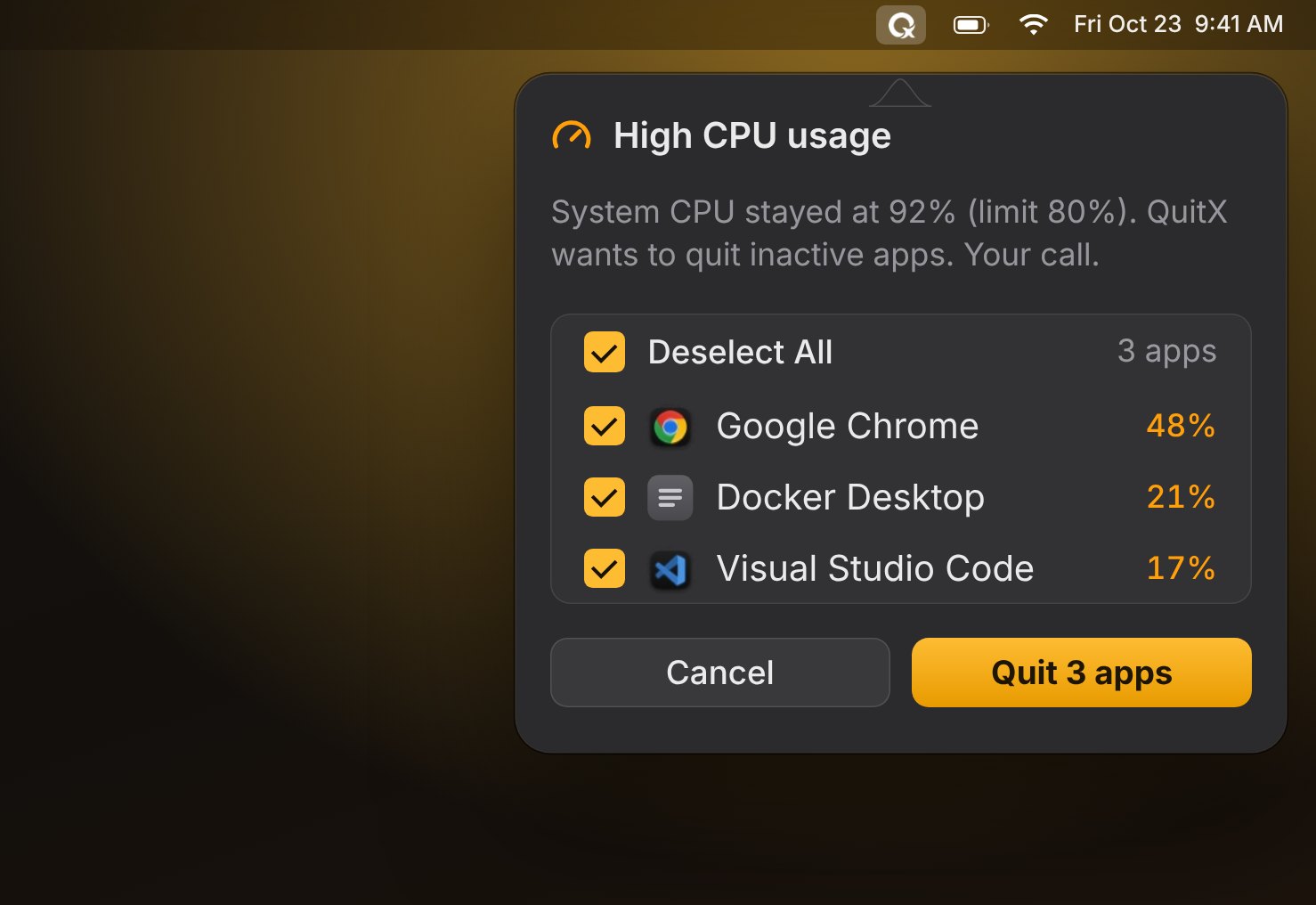
QuitX warning about high CPU usage and offering to quit three apps
07

CPU & memory warnings

When CPU or memory stays over your limit, QuitX notifies you and offers to quit inactive apps. Never the app you’re using, never without asking.

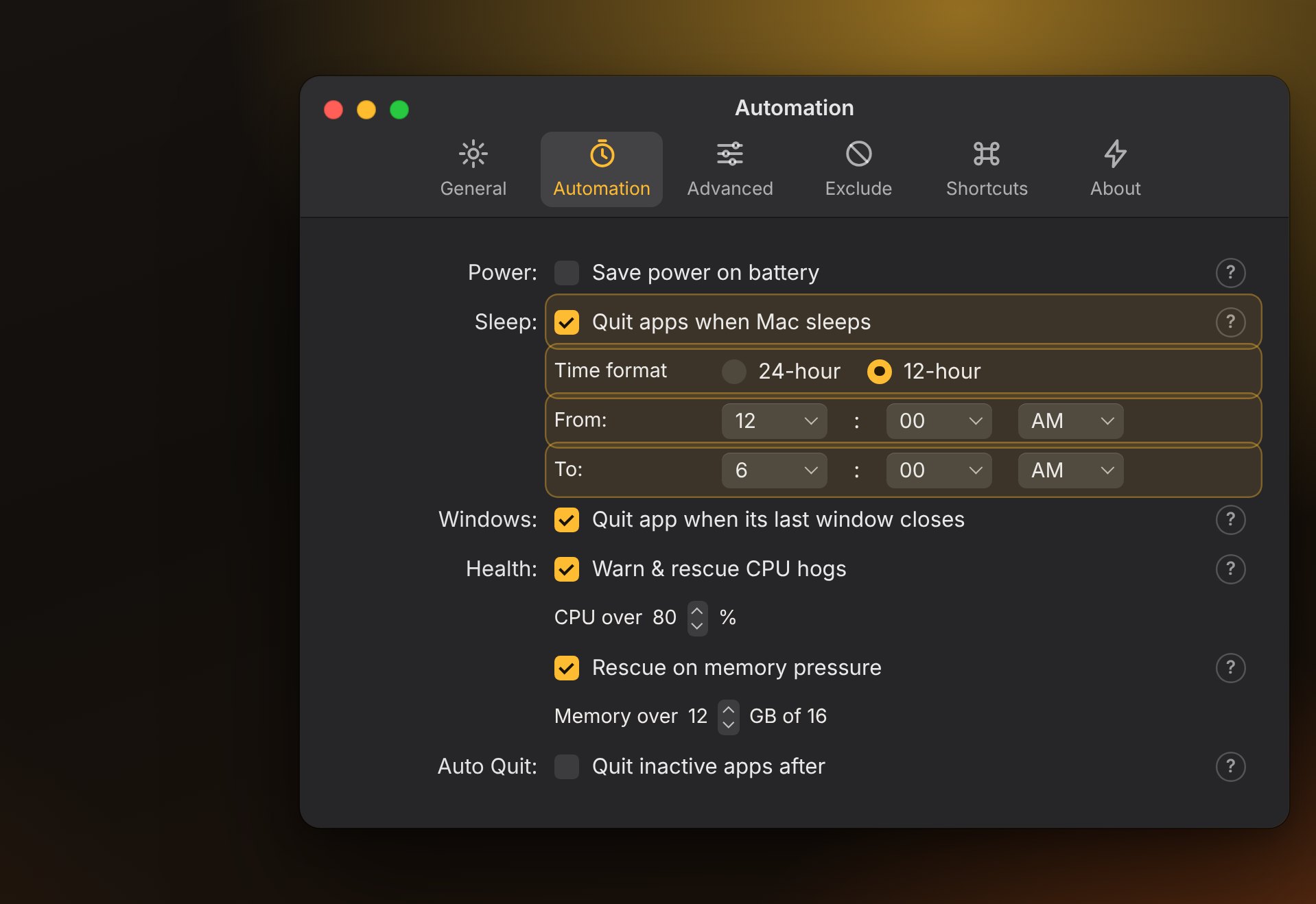
QuitX Automation settings with Quit apps when Mac sleeps turned on
08

Quit apps when your Mac sleeps

Close everything when your Mac goes to sleep, only between the hours you pick. Wake up to a clean desktop.

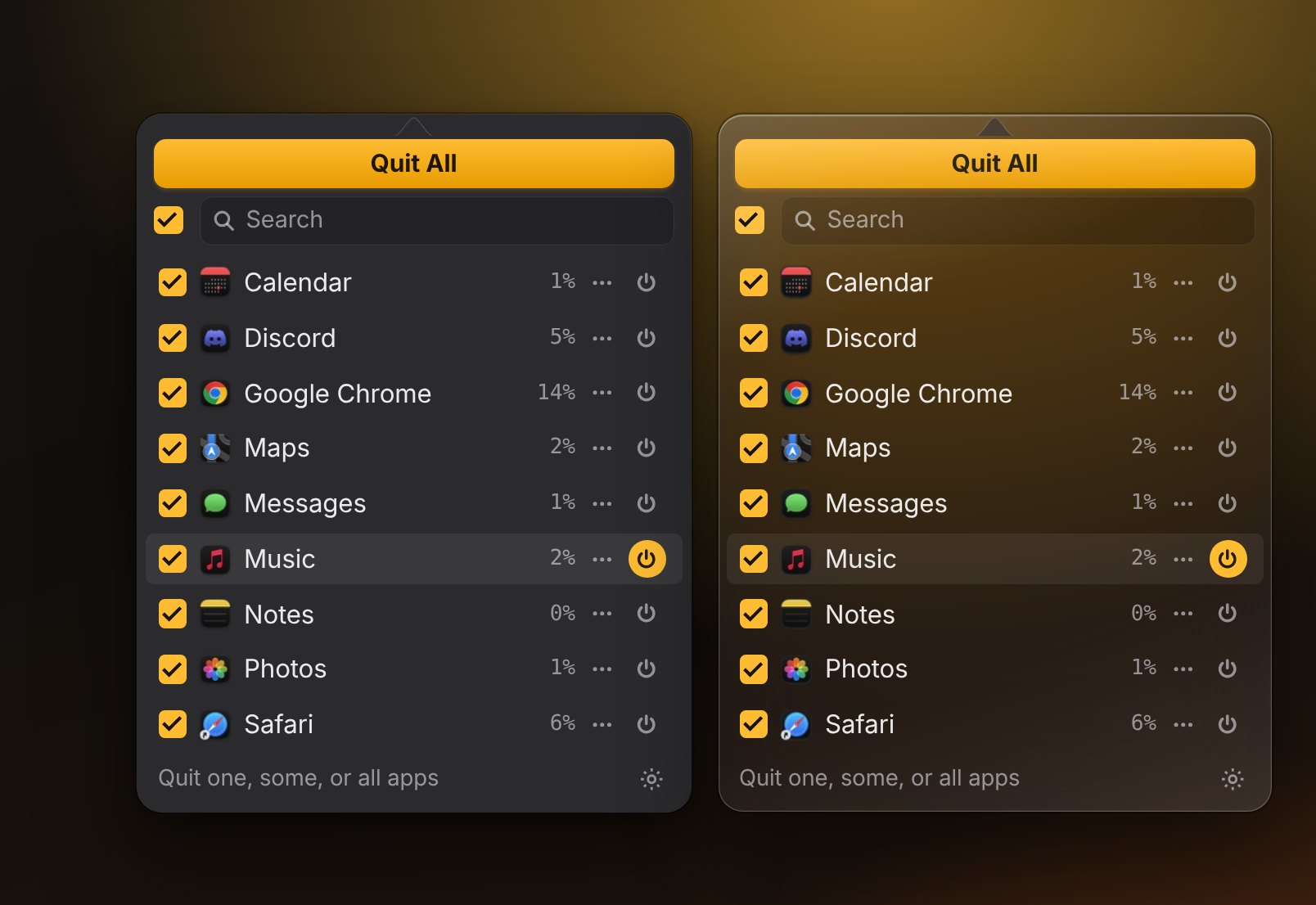
The QuitX menu in the Classic and Liquid Glass styles side by side
09

Classic or Liquid Glass

Choose the solid classic look or translucent Liquid Glass on macOS 26. Every window and menu follows along.

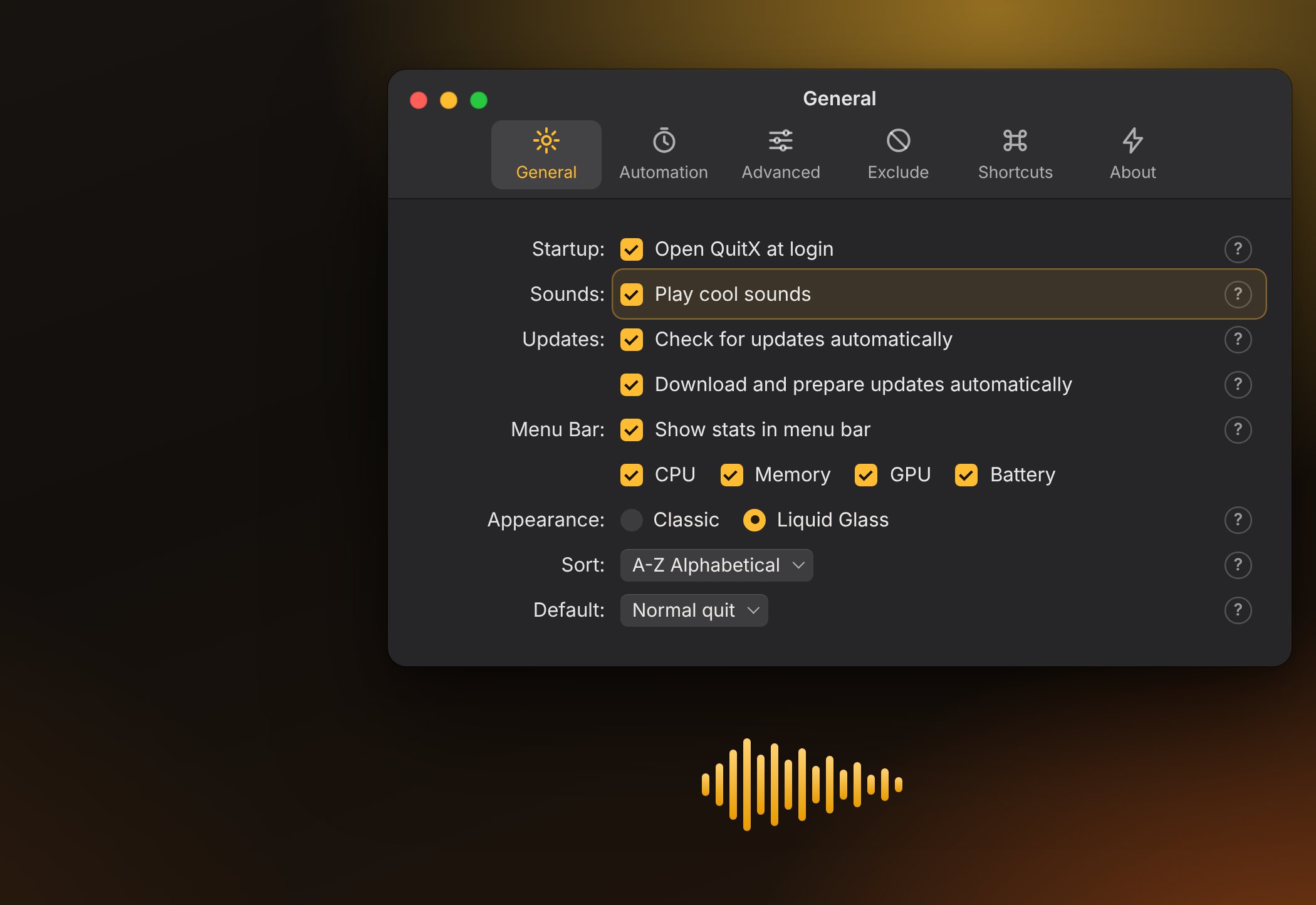
QuitX General settings with Play cool sounds turned on
10

Sounds on quit

A short arcade laser plays every time an app goes. Switch it off any time in Settings.

Last window closes, app quits

Close an app's last window and it quits with all its helpers. Switching Spaces, full screen and minimize never count.

Auto quit and timers

Quit apps you haven't touched in a while, set a timer on one app, and save power on battery.

Global shortcuts

Open the menu, Quit All or Force Quit All from anywhere with your own key combos.

In-app updates

Updates itself, straight from GitHub.

No update server and no keys to trust. QuitX reads this project's GitHub Releases and checks every download before it installs.

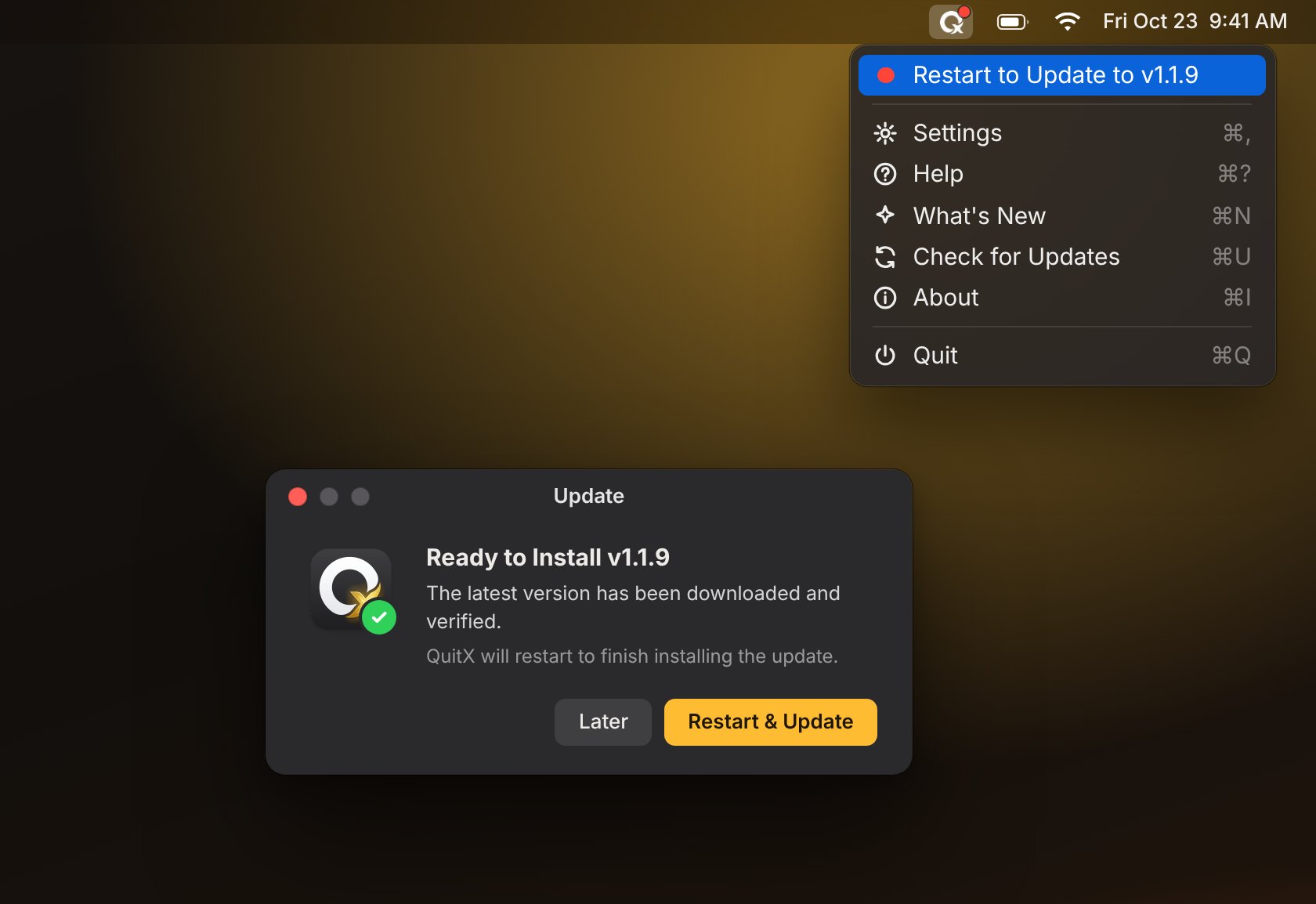
  1. A red dot appearsWhen a new version ships, the menu bar icon gets a dot and the menu offers the update.
  2. Downloaded and verifiedThe checksum, bundle, version and code signature all have to match.
  3. Restart to UpdateQuitX swaps itself in place and reopens. Your settings stay as they were.

Turn automatic checks and background downloads on or off in Settings → General.

The QuitX menu showing Restart to Update next to the Update window
Privacy

Your Mac, your business.

No data leaves your Mac

No analytics and no account. The only request QuitX makes is asking GitHub for the latest release.

Only the access it needs

Accessibility is used only for window features like Quit When Last Window Closes. Everything else works without it.

Read every line

MIT licensed and built in the open. Issues and pull requests are welcome on GitHub.

Install

Up and running in a minute.

Download the app

  1. Download the latest QuitX disk image.
  2. Open it and drag QuitX into Applications.
  3. Launch QuitX. It lives in your menu bar.

Requires macOS 14 Sonoma or later.

Or use Terminal

curl -fsSL https://quitx.kiron.dev/install | bash

Downloads the latest release from GitHub, checks its SHA-256 checksum and code signature, installs QuitX in Applications and opens it. Never run it with sudo. Want to read it first? View the script.

FAQ

Good questions.

Will I lose unsaved work?

No. A normal quit asks each app to quit the same way the Dock does, so apps can still prompt you to save. QuitX only force quits when you choose it, for example by holding Option.

Which macOS versions are supported?

macOS 14 Sonoma and later. On macOS 26 you can switch between the classic look and Liquid Glass.

How do updates work?

QuitX checks GitHub Releases a few times a day when automatic checks are on. You'll see a red dot on the menu bar icon and an update item in the menu. The download is verified before QuitX restarts into the new version.

Why does it ask for Accessibility?

Only window-based features need it, such as quitting an app when its last window closes and the per-app Windows menu. You can use the rest of QuitX without granting it.

Is it really free?

Yes. QuitX is MIT licensed. There's no paid tier and no account.

Give your Mac a fresh start.

No restart required.